Modernizing an iOS Video Editor With AI Video Generation
AI VIDEO EDITOR
Modernizing an iOS Video Editor With AI Video Generation
An iOS development partnership: we stabilized a popular video editing app, launched AI generation features, built ad monetization from scratch, and rebuilt the core editor while releases kept shipping every month.
35% faster loading
for app launch and key features
Editor rebuilt in 7 weeks
without pausing releases
iOS Development
Legacy Modernization
Generative AI
Video Editing
About the product
A mobile video editor for content creators, competing in the same space as the best-known short-form editing apps. When we joined, it ranked in the top 40 of its App Store category.
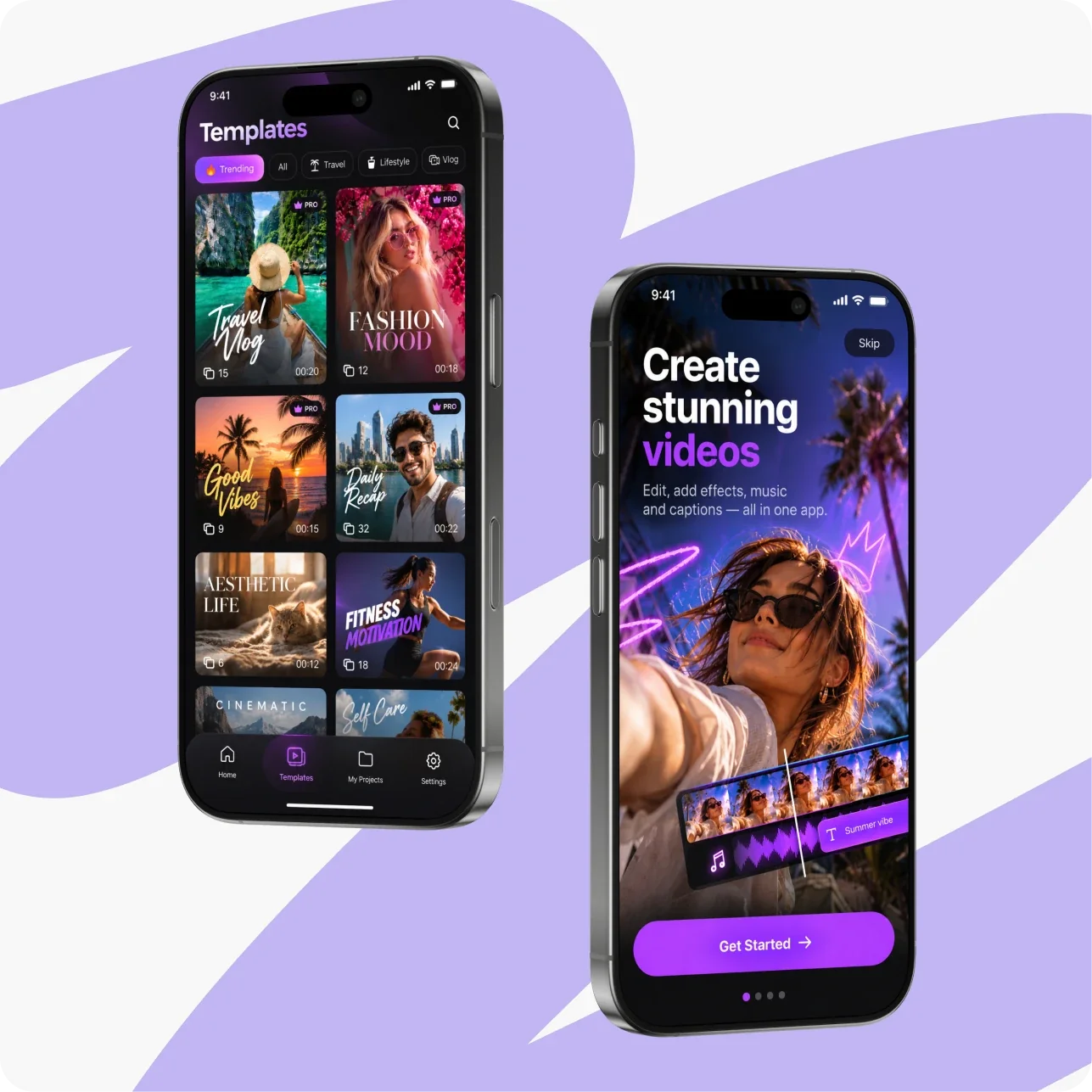
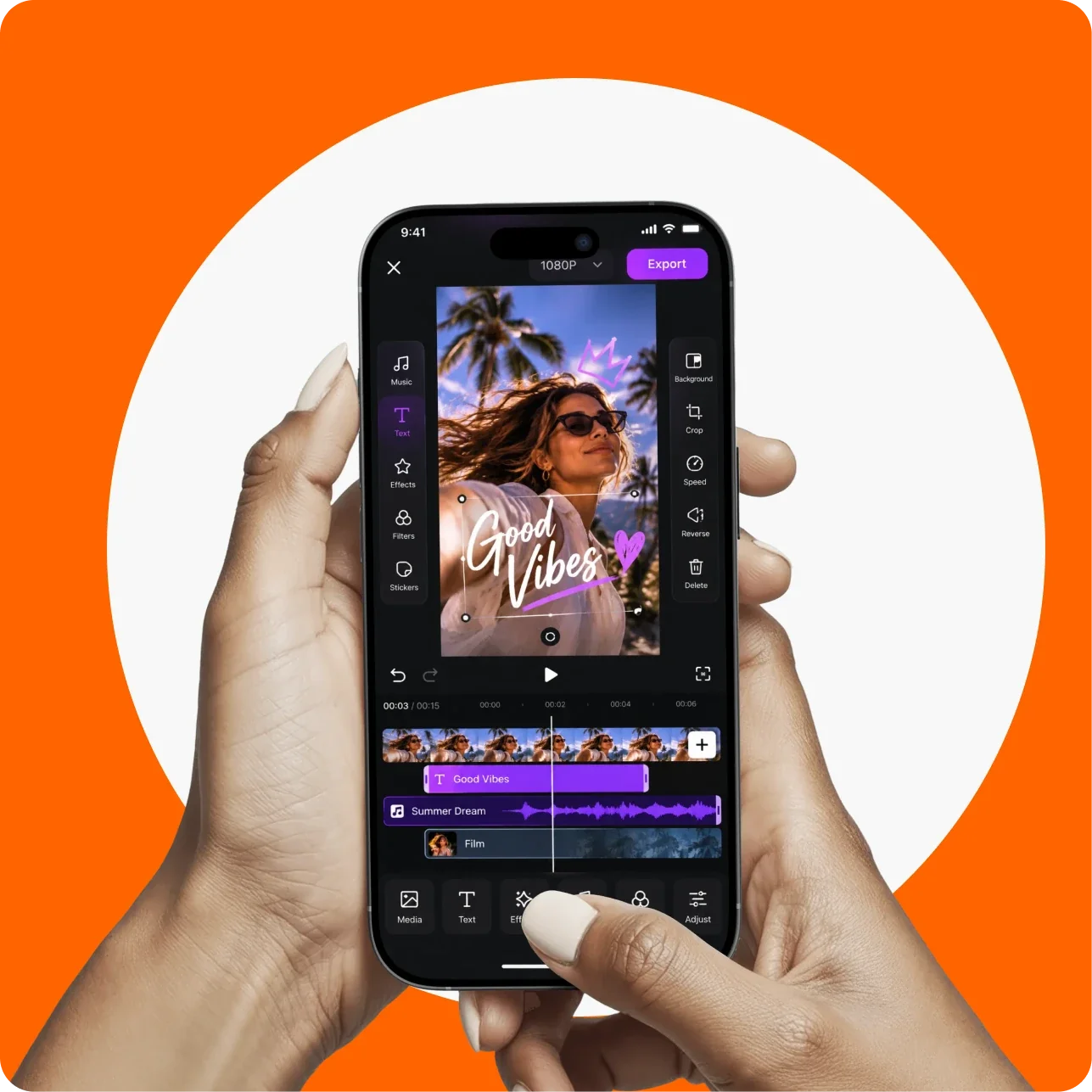
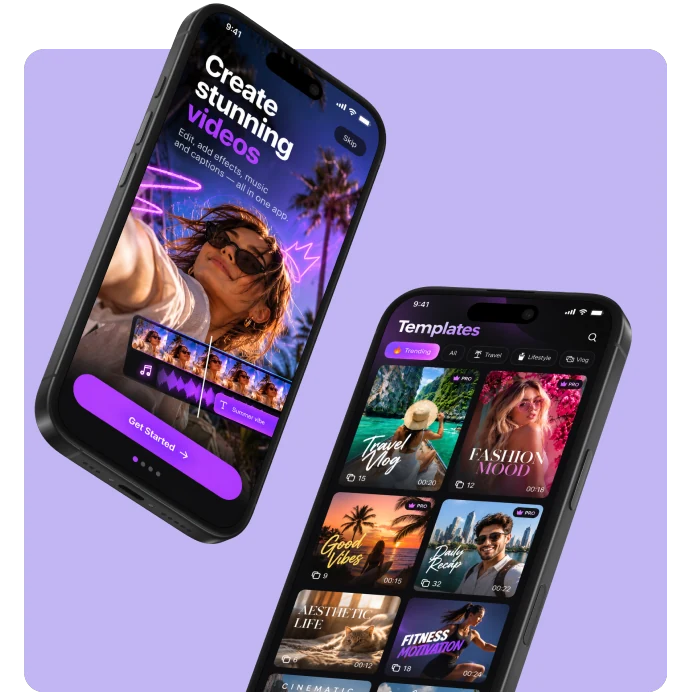
Users create videos from trending templates, edit clips on a multi-track timeline with text, music, effects, and filters, and generate images and videos with AI. Premium features are offered through subscriptions and multiple paywall variants.
goals
Bring the codebase and release process back under control so the product could evolve predictably.
Refresh key screens, starting with the home screen, to match the expectations of today's creator audience.
Add AI video generation and upgrade the existing AI image generation.
Grow revenue with flexible paywalls and a new advertising channel.
Keep the app compatible with the latest iOS releases and Apple requirements.
Rebuild the core video editor for better performance and maintainability.
Needs
The app had reached the market quickly: it was built on a licensed third-party video editing engine, with templates, paywalls, and the surrounding infrastructure added on top. Over time, this layered implementation made every new feature slower and riskier to ship.
Meanwhile, competitors were moving ahead with new features and AI integrations. The product needed a stronger engineering team to stabilize the code, modernize the experience, and add the AI capabilities users now expect.
CHALLENGES
The Key Challenges We Addressed
01
Restoring Control Over the Codebase and Releases
Parallel changes lived in scattered branches with no clear path to a release. We restructured the Git flow, reviewed every pending change, and assembled a single stable version of the app. We also moved dependencies to Swift Package Manager and introduced shared code formatting. This made a steady monthly release rhythm possible.
02
Untangling Undocumented Legacy Logic
Much of the app logic had been layered over time without documentation. We traced the actual behavior, agreed on the expected one with the product team, and rewrote services step by step, starting with the app launch flow and the paywall logic.
03
Making Long-Running AI Generation Feel Smooth on Mobile
AI video generation takes 20 seconds or more, far longer than users are used to waiting in a mobile app. We designed the client flow around it: the app tracks generation status in the background, restores progress when the user returns, and sends a push notification as soon as the video is ready.
04
Modernizing Without Pausing the Product
The app had to keep shipping updates while we redesigned screens, added AI features, and rebuilt the editor. We kept a monthly release rhythm the whole time. The new editor opens existing user projects, so nothing has to be migrated. It is switched on with a remote flag, so the rollout can be gradual and reversible.
SOLUTION DEVELOPMENT
A Faster Editor, AI Generation, and a Codebase
Ready to Grow
Offline mode
To use the app without an Internet connection.
Digital Diaries
Viewing to track students' performance and attendance.
Questionnaires
To take part in surveys and voting
Digital signatures
For parents to show that the information about school updates is checked and approved
Automatic reports
For showing personal academic progress and class attendance of students to their parents
Online payments
with Apple Pay on iOS to cover the costs of extra sections and activities.
Online stores
With merch to support the system of rewarding children by giving special online tokens for achievements.
Native ads
Of partners to suggest the use of the services of companies-affiliates.
Push notifications
to keep users informed about the school activities and the child's progress.
Redesigned Home Screen and Navigation
We redesigned the home screen twice. The first iteration added a tab bar, shortcuts, templates, and video formats. The second put AI creation tools at the center, with a native Liquid Glass tab bar. We also removed a separate setup screen, so a new project now starts one step sooner.
Three AI Features
We launched AI Video, Text-to-Image on the Nano Banana model, and a fully rebuilt Text-to-Video. Users choose between Veo 3.1 and Seedance, set characters, style, sound, and camera motion, and pick a 9:16 or 16:9 format and clip length.
Generation Flow and Credits
Generation runs in the background: the app tracks its status, restores the screen when the user returns, and sends a notification when the video is ready. Every request checks subscription and credit balance, credits are returned if a generation fails, and the price updates when the user switches models.
New Video Editor Engine
In 7 weeks we rewrote the editor logic: tracks, trimming, transitions, keyframes, filters, crop, masks, speed curves, text, auto subtitles, voice recording, and export, with new undo and redo. Each tool now opens in one panel with clear tabs, and the result is visible right away in the preview.
Paywalls and Ad Monetization
Paywalls run on Superwall and can change without an app release; the native onboarding paywall follows the winning A/B variant, and subscriptions are handled by RevenueCat. We also built ad monetization from scratch: AdMob banners, GDPR consent management, and six mediation networks.
Analytics, Localization, and Platform
We moved marketing tools to Braze, cleaned up Amplitude events, and added attribution SDKs. The app now supports right-to-left languages, including Arabic. Filters, transitions, and effects download on demand, which reduces install size, and the code is adapted to iOS 27.
ACHIEVED
RESULTS
ACHIEVED
RESULTS
Core Video Editor Rebuilt in 7 Weeks
The new engine covers 20+ editing features, opens existing user projects without migration, and is enabled by a remote flag, so the switch can be gradual and rolled back at any time.
3 AI Features Launched
AI Video, Text-to-Image, and a rebuilt Text-to-Video with two models, characters, style, sound, and camera motion, all connected to subscriptions and credits.
From 0 to About 1,700 Unit Tests
The project went from no unit tests to about 1,700, mostly covering the new editor logic. Together with Swift Package Manager, code generation, and shared formatting, this gives the product a reliable base for further development.
35% Faster App and Feature Loading
A single, streamlined startup sequence, on-demand loading of filters, transitions, and effects, and a lighter asset catalog cut the time to a usable home screen by 35%. Key features, from the new editor to AI tools, open faster as well.
4x Fewer Crashes
The crash-free users rate grew as crashes dropped fourfold. Rewritten legacy services, a unified app launch flow, the new editor engine, and broad unit test coverage removed the most frequent sources of failures.
Tech stack
Tech stack
Mobile Development
Swift
UIKit
Swift Package Manager
Video Editing
Meishe SDK
Generative AI
Veo 3.1
Seedance
Nano Banana
Monetization
Superwall
RevenueCat
Google AdMob
Ad Mediation
Analytics and Marketing
Firebase
Amplitude
AppsFlyer
Braze
Configuration and Data
Firebase Remote Config
Firestore
Quality and Delivery
Swift Testing
SwiftFormat
SwiftGen
Codemagic
AI-Assisted Development
Ready
to discuss
your project?
Reach out to us!
Let's talk business.
But you first.
Let's talk business.
But you first.
Let's talk business.
But you first.
Let's talk business.
But you first.
Let's talk business. you first.
Oops! Something went wrong while submitting the form.